![New Logo (1)-2.png]](https://help.wikifarmer.com/hs-fs/hubfs/New%20Logo%20(1)-2.png?height=29&name=New%20Logo%20(1)-2.png)
Get started to build your profile
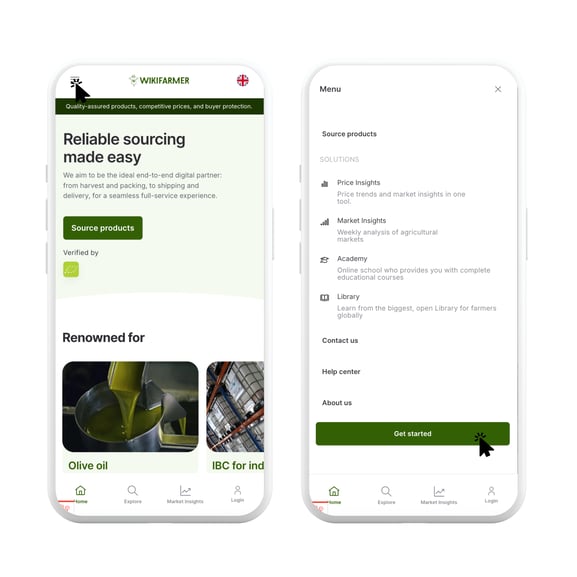
- Click on the button 'Get started'.
- Then choose 'I want to sell products'.
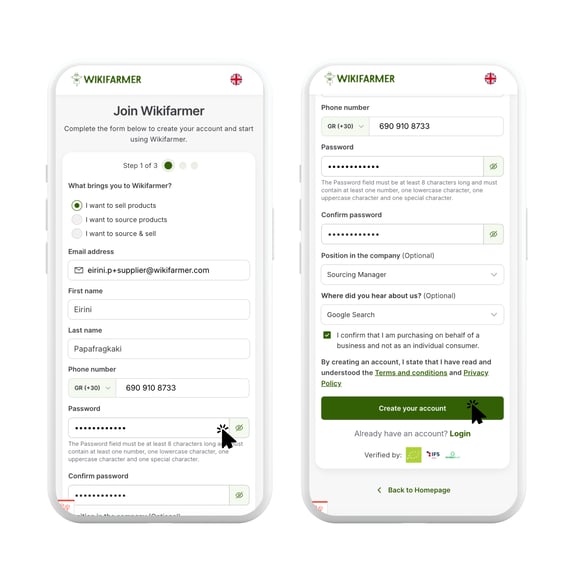
- Then fill in all the information below, including your email address, first and last name, phone number, password, job title and the resource that you found us from.
- Then click, "Create your account".
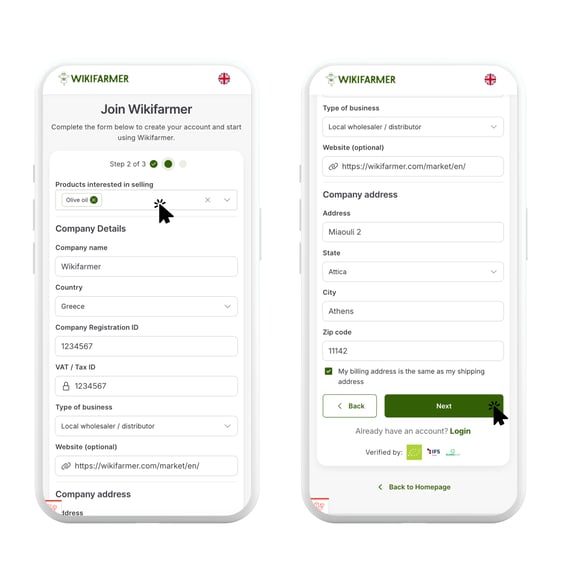
- Then you need to insert information for your company.
- First, choose the product you are interested in selling.
- Then, fill out the company details such as company name, country, registration ID,
VAT, type of business, website, address, city and zip code. - Then click on the button, "Next".
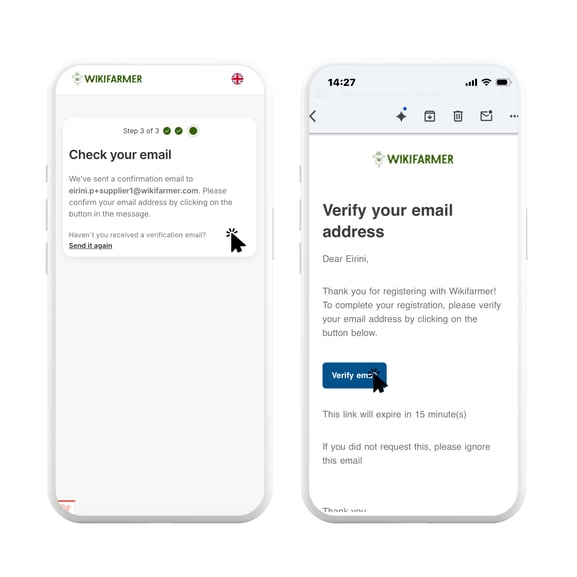
- Lastly, you will receive an email to verify your email address.
Αν έχετε απορίες σχετικά με την διαδικασία μπορείτε να επικοινωνήσετε στο: info@wikifarmer.com